Guides · 18 Sept 2026 · Indexer Online Team
How to Index Backlinks Fast: A Practical Guide
Backlinks only count once Google indexes the page they sit on. A step-by-step guide to checking, submitting and verifying your links.
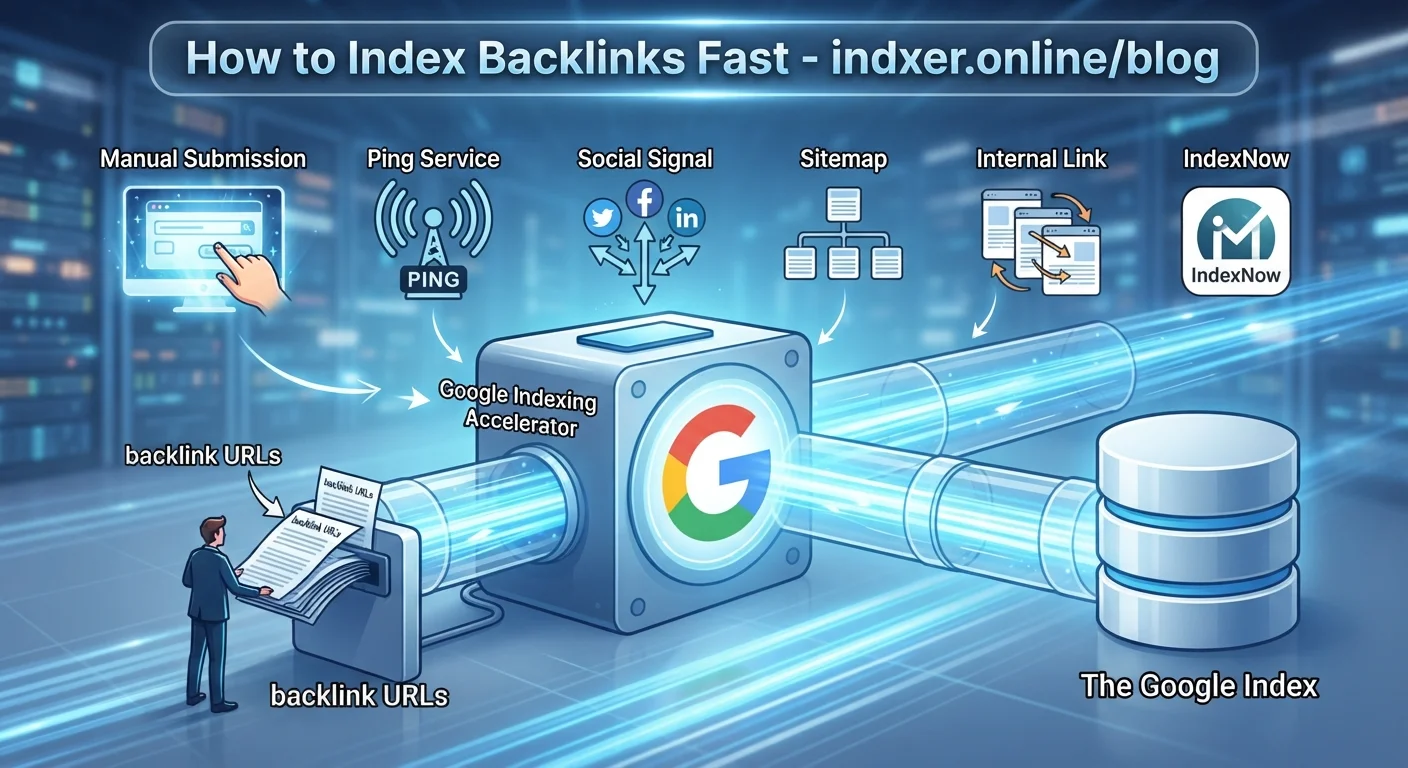
You paid for a guest post, a niche edit or a batch of profile links. Weeks later your rankings have not moved. Before you blame the links themselves, check something simpler: has Google actually indexed the pages your links are on? A backlink on a page that is not in Google's index passes no value at all.
This guide explains what indexing really means, what you can control, and the fastest safe ways to get your backlinks discovered.
Crawling and indexing are not the same thing
Three separate steps have to happen before a backlink counts:
- Discovery. Google learns that a URL exists, usually by following a link from a page it already knows, or from a sitemap.
- Crawling. Googlebot requests the page and downloads its content.
- Indexing. Google decides the page is worth storing in its index. Only then can the links on that page be taken into account.
Most "indexing" problems are really discovery problems. A brand new guest post on a site with few internal links can sit unnoticed for weeks. Some pages are never found at all. That is the part you can speed up.
Step 1: Make sure the page can be indexed
Never spend time or credits on a URL that blocks indexing. Open the page in a private browser window and check:
- It loads normally. The URL must return a 200 status, not 404, 410 or a 5xx error.
- No
noindextag. View the page source and search fornoindex. Many free blog platforms and staging setups add it by default. - Not blocked by robots.txt. Check
example.com/robots.txtfor rules that match the page path. - It is the canonical URL. If the page's canonical tag points somewhere else, Google will index that other URL instead. Submit the canonical one.
- No redirect. Submit the final destination, not a redirecting or shortened link.
- Your link is in the HTML. If the link only appears after JavaScript runs, or sits behind a "load more" button, it may never be seen.
Step 2: Give the page a reason to be indexed
Google indexes pages it considers useful. It regularly skips pages with almost no unique content, spun text or copies of other pages. That is why cheap link packages often produce links that never get indexed, no matter how many tools you point at them.
When you choose where to place links, prefer pages that:
- have real, unique content of reasonable length,
- are linked from the site's own navigation, category pages or other posts,
- sit on a domain that already has indexed pages.
A quick check: search Google for site:example.com. If the domain has almost nothing indexed, a new page on it is unlikely to do better.
Step 3: Help Google discover the URL
For pages you control, you have direct options:
- Internal links. Link to the new page from pages that are already indexed and get crawled often, such as your homepage or a popular post. This is still the most reliable method.
- XML sitemap. Keep the URL in your sitemap and make sure the sitemap is submitted in Google Search Console.
- URL Inspection in Search Console. Use "Request indexing" for important pages. It works only for sites you own and is meant for individual URLs, not bulk submissions.
For backlinks on other people's websites you have none of these. You cannot add internal links on a site you do not control, you cannot submit its sitemap, and Search Console will not accept URLs from domains you have not verified. This is exactly the gap an indexing service fills: it sends those URLs for crawling so they are not left waiting for natural discovery.
Step 4: Submit third-party links in batches, not all at once
If you have a few hundred or a few thousand backlinks, sending them all on the same day makes little sense: the discovery pattern looks unnatural and you lose the ability to tell which batch worked. Spreading submissions over several days (drip feeding) keeps the pace natural and makes your reporting cleaner.
With Indexer Online you paste your URLs, pick a drip feed between 1 and 30 days, and each day's batch is sent automatically. Every URL is then reported separately as indexed or not indexed, with the reason when one fails, so you can fix pages instead of guessing.
Step 5: Verify the result, do not assume it
Never trust a "100% success" dashboard without checking. Three ways to verify:
- Exact URL search. Search the full URL in Google. If the page appears, it is indexed.
- site: query.
site:example.com/page-urlshows whether that specific page is known. - Per-link report. Use a tool that reports each URL separately, so you can export the list and send it to your client.
Also remember that indexing is not permanent. Pages get removed when a site drops them, adds noindex, or quality changes. Re-checking important links every few months is worth the time.
How long should it take?
There is no fixed number. In practice, well-built pages on healthy domains are often indexed within a few days of being submitted, weak pages may take much longer, and thin pages may never be indexed. Anyone promising a guaranteed timeline for links on third-party sites is guessing, because the decision belongs to Google.
Mistakes that waste money
- Submitting the same URL again and again. Repeated submissions do not increase the chance of indexing. Fix the page instead.
- Submitting redirects or shortened links. Only the final URL can be indexed.
- Ignoring the report. A "404" or "noindex" result is useful information: it tells you the placement is worthless until the page is fixed.
- Buying links on domains with nothing indexed. No indexing service can fix a page that Google does not want.
- Judging too early. Give a campaign a few days before drawing conclusions.
A simple workflow you can repeat
- Collect your new backlink URLs in a text file.
- Remove duplicates, redirects and any page that returns an error.
- Submit the list with a drip feed that matches its size.
- Wait a few days, then export the report.
- Fix or replace the pages that came back as not indexed, and re-submit only those.
That is the whole job: check the pages, send them for crawling, measure what happened, and act on the failures. Everything else is noise.
Want to try it with your own links? See the pricing — new accounts get free credits — or read the FAQ first.